
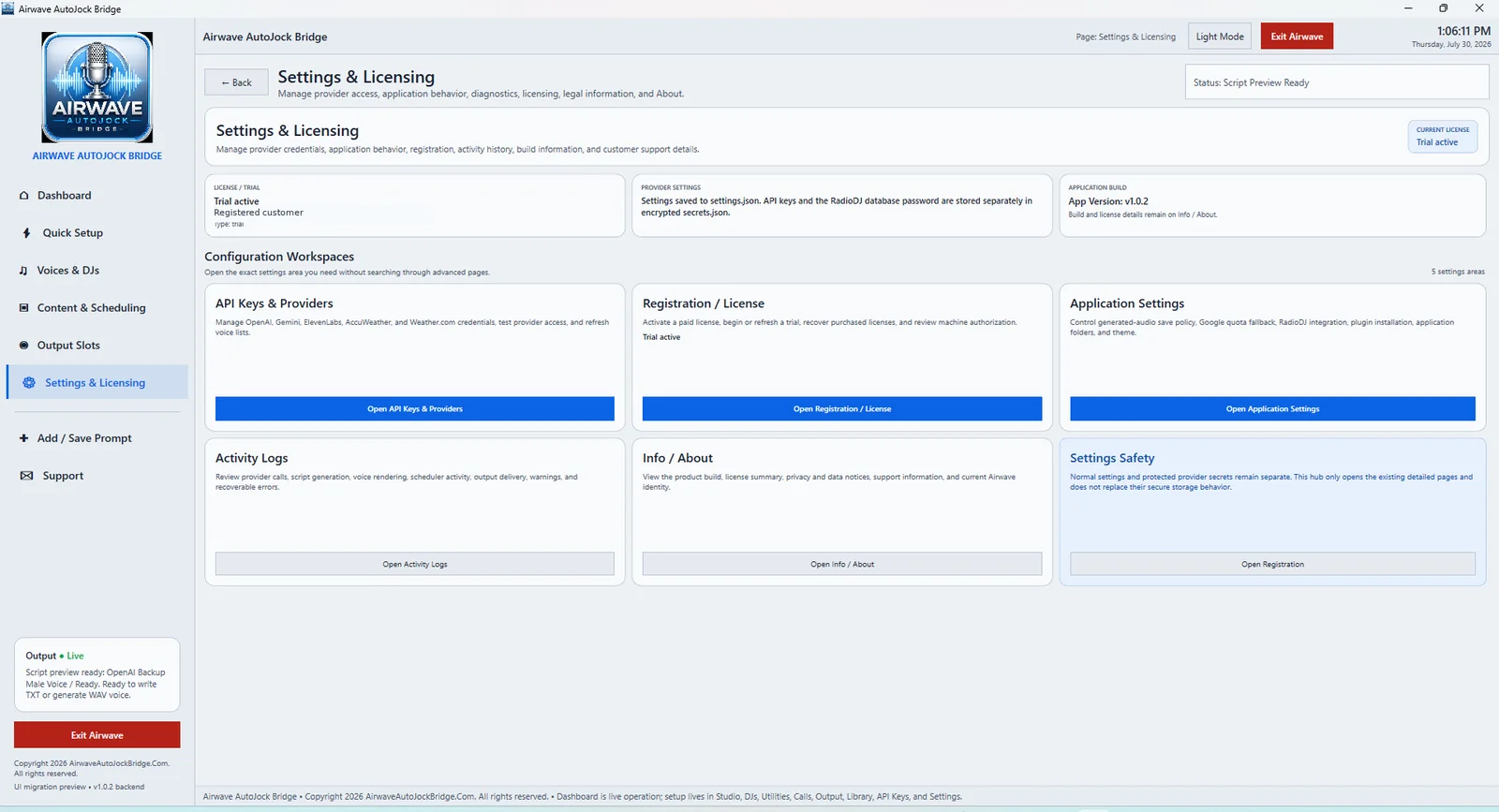
What this page is
Settings & Licensing is not the first-launch activation screen. It is the central hub used after Airwave is open and licensed. The five tiles lead to separate pages for providers, license status, playout configuration, session activity, and product information.
API Keys & Providers
Use this page for the credentials and connection settings required by AI and data providers, including Google, OpenAI, ElevenLabs, and configured weather services. From here you can save protected credentials, verify provider access, and refresh supported model or voice lists.
Registration / License
Use this page to review the application’s current license state and plan. It can show Trial, Monthly, Rent-to-Own, or Lifetime status, along with activation, refresh, recovery, expiration, machine authorization, and other license messages. This page opens automatically on first launch when no valid license is available.
Application Settings
Use this page for operational settings that connect Airwave to the station’s playout and automation workflow. This includes SAM Broadcaster, RadioDJ, PlayIt Live or generic export options, automation input paths, output folders, queue behavior, generated-audio policy, and related application preferences.
Activity Logs
Use Activity Logs to review the current session’s work throughout Airwave, including provider calls, script creation, voice rendering, scheduling, output delivery, handoff activity, warnings, and recoverable errors. The log helps identify what Airwave did immediately before a problem occurred.
Info / About
Use Info / About to view the installed Airwave version, build information, What’s New notes, product identity, copyright, privacy information, and support details.