
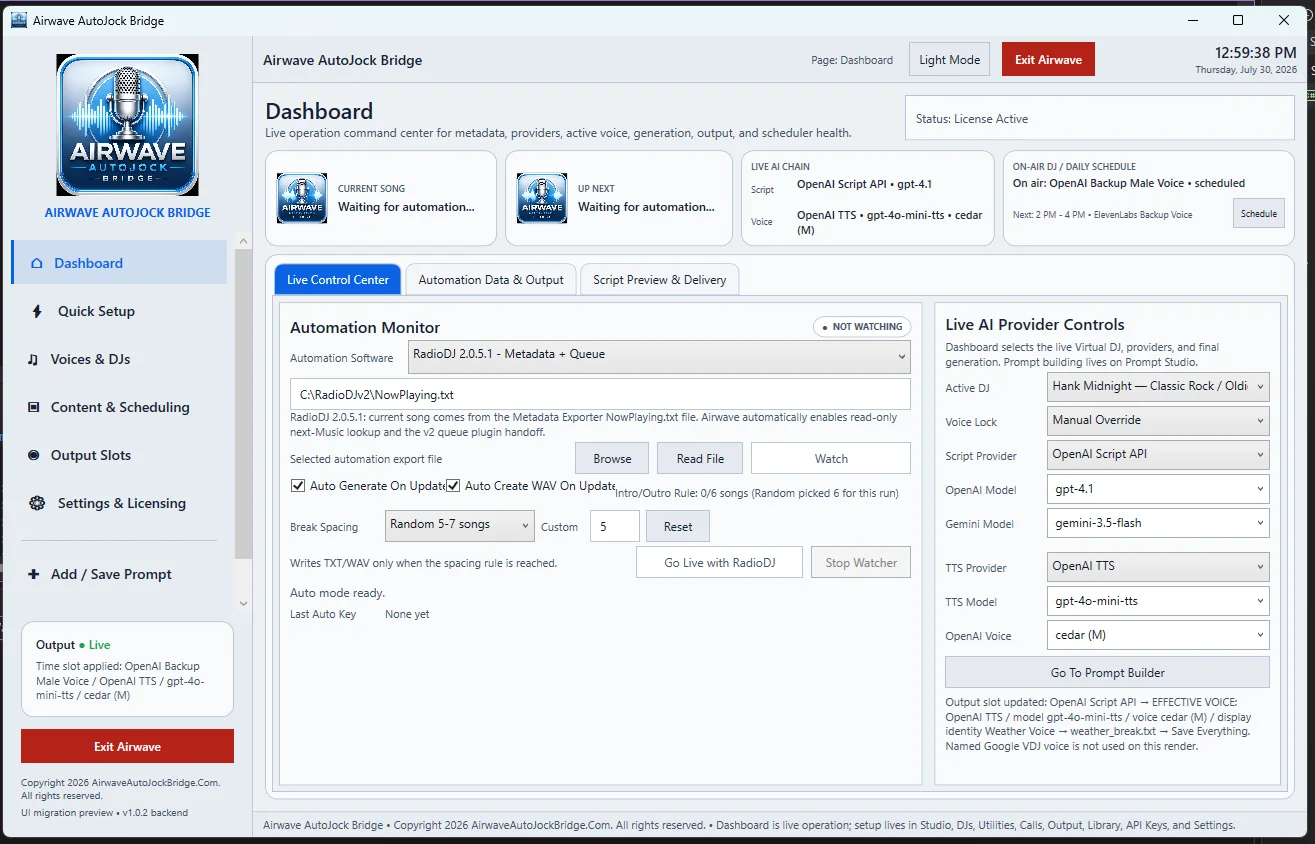
Top status cards
- Current Song: the song currently reported by the automation source.
- Up Next: the upcoming item when the export supplies it.
- Live AI Chain: the effective script provider, TTS provider, model, and voice.
- On-Air DJ / Daily Schedule: the active personality or backup voice and the next scheduled shift.
Dashboard tabs
| Tab | Use it for |
|---|---|
| Live Control Center | Select the automation source, read or watch the export, set break spacing, and control the active provider chain. |
| Automation Data & Output | Review metadata intelligence, detected break type, delivery target, voice profile, music bed, save policy, and handoff readiness. |
| Script Preview & Delivery | Generate or review the exact script, write TXT output, render voice, and reset the script lock. |
Status line and left summary
The page status and the lower-left Output card provide a compact report of whether Airwave is live, which provider is effective, and whether it is ready to write TXT or generate WAV audio.