
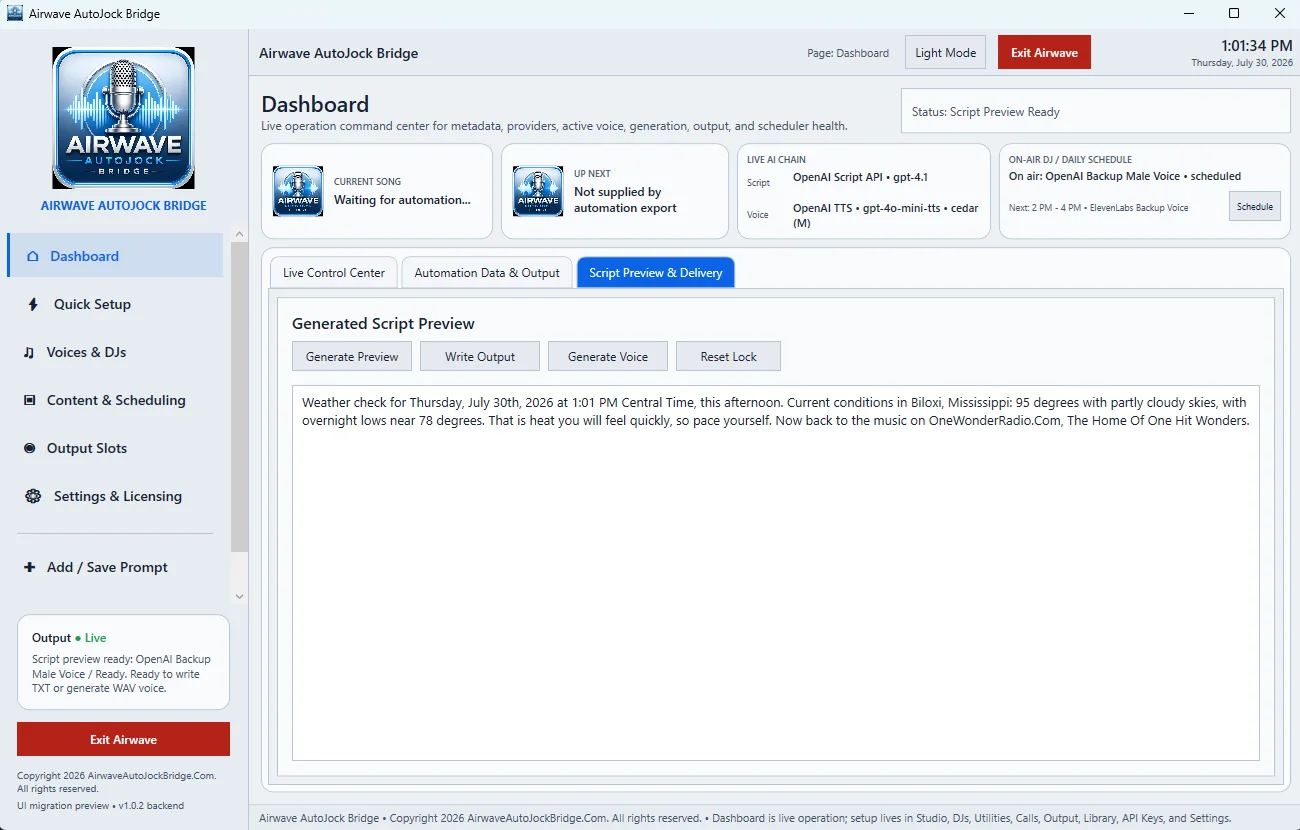
Generate Preview
Select Generate Preview to create the script without immediately generating voice audio. Read the entire script for station identity, song information, time references, pronunciations, and anything that should not be aired.
Write Output
Write Output writes the prepared text to the current output slot. This is useful for a TXT-driven workflow or for checking that the selected slot updates correctly.
Generate Voice
Generate Voice sends the approved script to the effective TTS provider, applies the supported music-bed workflow, and writes the resulting WAV to the configured output path.
Reset Lock
A generated preview can be locked so the same approved copy is used for the next delivery action. Select Reset Lock when the metadata, production type, provider, or prompt has changed and a fresh script is required.