
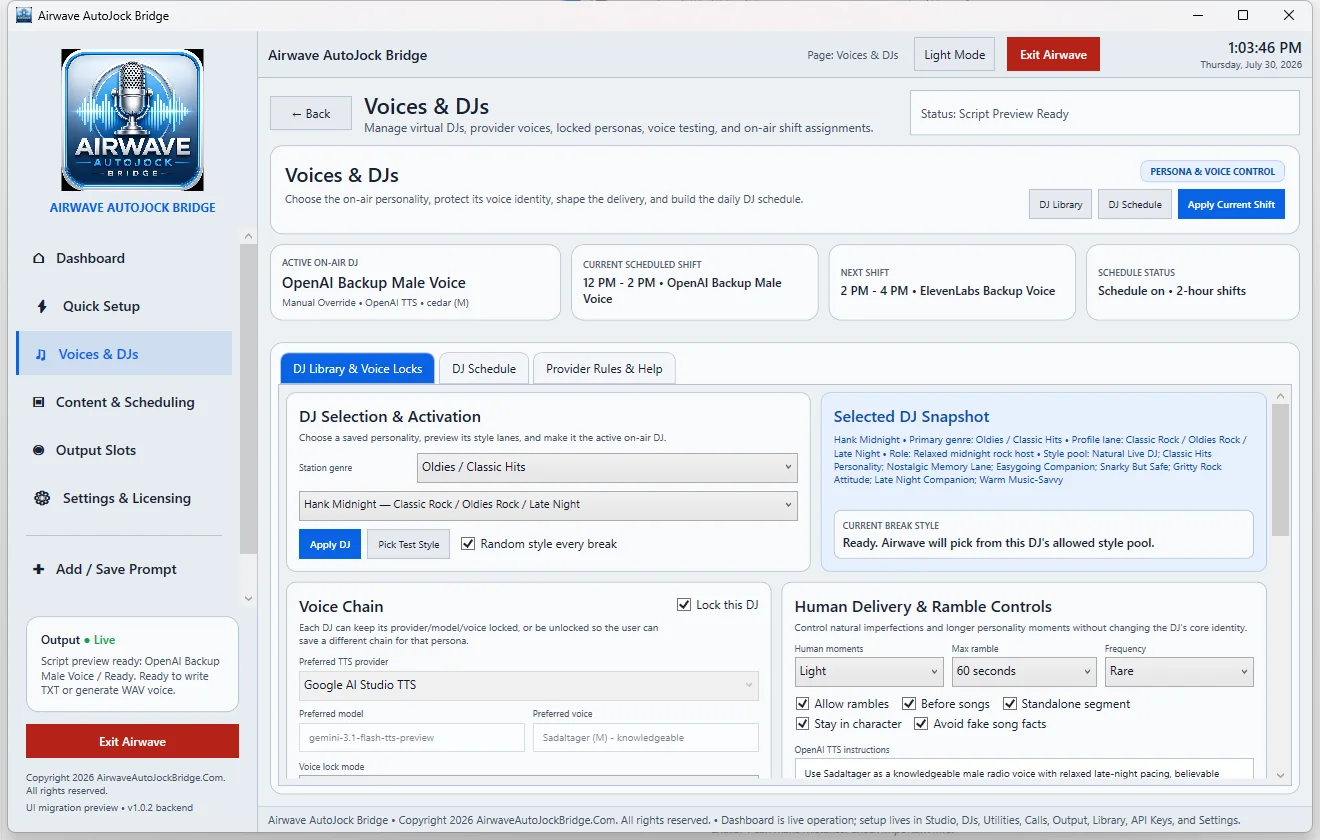
Select and apply a DJ
- Choose the station genre or format lane.
- Select a saved Virtual DJ profile.
- Use Pick Test Style to preview direction when needed.
- Select Apply DJ to make the personality active.
Voice chain and locks
A named Virtual DJ can keep its preferred provider, model, and voice locked. In the released provider rules, named Virtual DJs use Google AI Studio. Generic OpenAI or ElevenLabs voices are labeled as Airwave backup identities rather than impersonating the named DJ.
Human delivery and ramble controls
These controls allow occasional imperfections, longer personality moments, or standalone segments without changing the DJ’s core identity. Keep the frequency and maximum duration appropriate for the station format.
Random style every break
When enabled, Airwave chooses from the selected DJ’s allowed style pool. Disable it when a tightly controlled production or legal element requires one consistent style.