
Enable the schedule
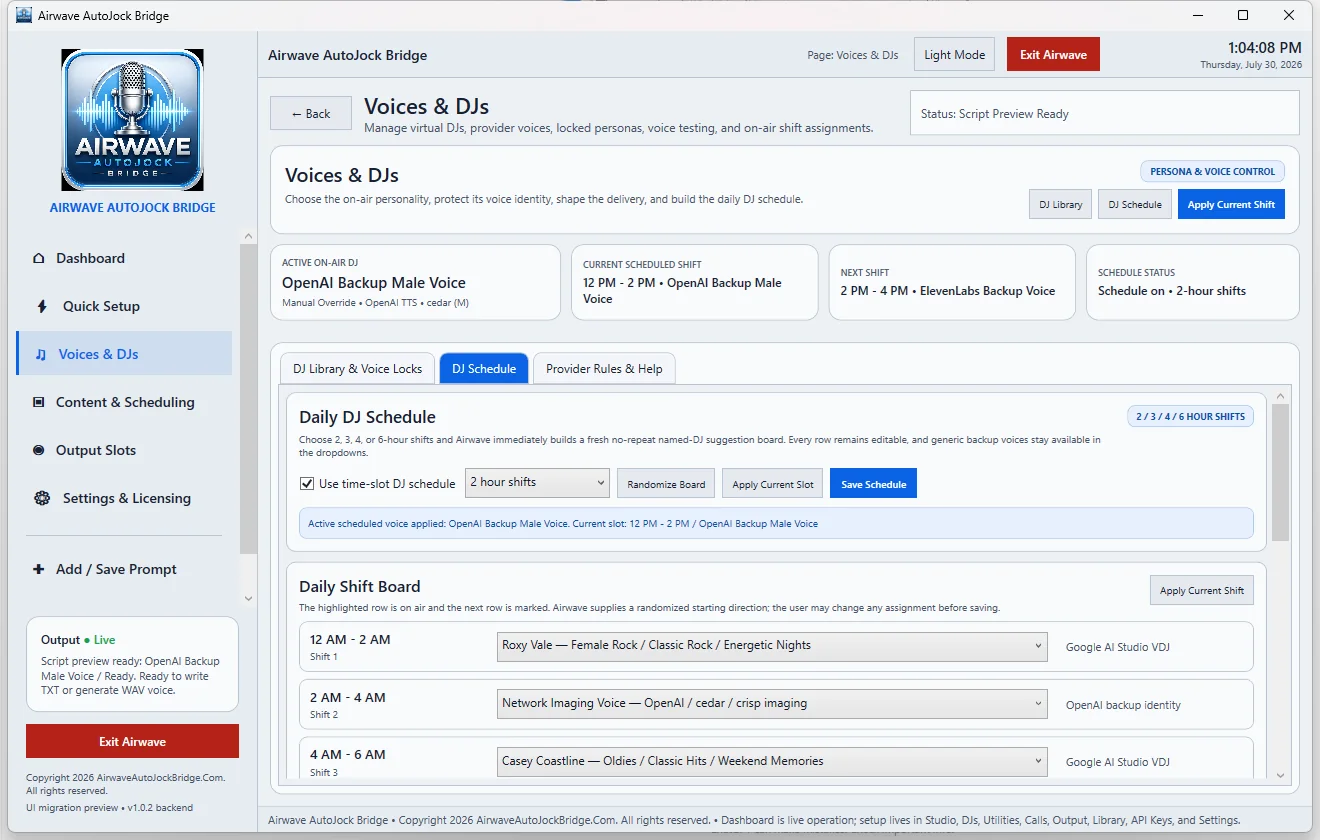
Select Use time-slot DJ Schedule, choose the shift length, and allow Airwave to build the daily board. The available shift lengths are 2, 3, 4, or 6 hours.
Edit the board
Every shift remains editable. Choose a named Virtual DJ or a generic backup voice for each row. Use Randomize Board for a fresh starting arrangement, then review and adjust it before saving.
Apply the current slot
Apply Current Slot immediately activates the personality assigned to the current time. This is useful after editing the board or recovering from a provider problem.
Fallback voices
Generic OpenAI and ElevenLabs backup voices can remain available in the schedule. Named Google Virtual DJs should not silently run on a different provider under the same identity.